New · Bring your own AI
Train with the AI you already use
Connect PR Foundry to Claude, ChatGPT, or any MCP client. It reads your real training history and writes a program around your goals and your schedule, using what it already knows about you. It becomes a program you pick in the app, then go lift.
How it works
From your AI to the bar in five steps
- 1
Connect your AI
Add PR Foundry as a connector in Claude, ChatGPT, or any MCP client by pasting one URL. You sign in once in your browser, so your AI never sees your password.
- 2
It reads your training
Ask it to look at where you're at. It pulls your logged workouts, estimated 1RMs, progress, body measurements, and current plan straight from your account.
- 3
It tailors a program
Tell it what you're working with: a meet in twelve weeks, only three days free, a cranky shoulder. It writes a program — a single week or a full multi-week block — around your real numbers and what it already knows about you.
- 4
It becomes one of your programs
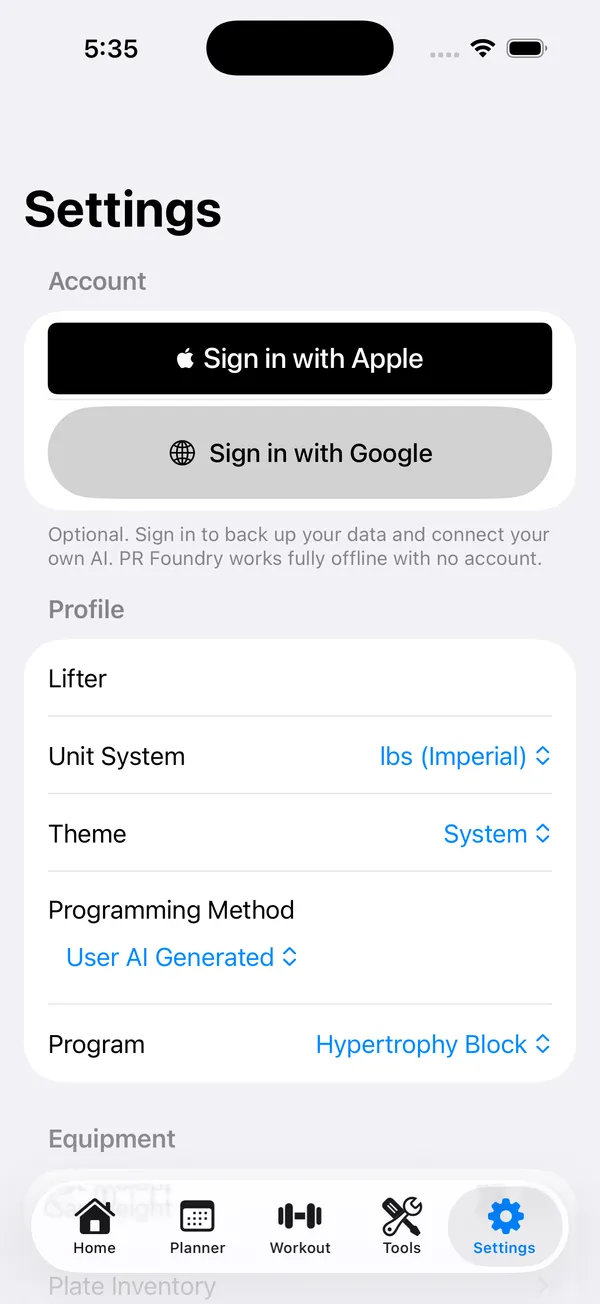
What it pushes shows up in PR Foundry under the “User AI Generated” method, each program a sub-program you can pick. Your current week doesn't change on its own.
- 5
Then you go lift
Pick the program, generate the week you're on, and it runs in the tracker exactly like one you built yourself: weights snapped to your plates, warm-ups filled in, with the rest timer and PR detection you already use.
What your AI can read
It works from your real numbers
Once you approve access, your AI can read the same training data the app plans from. It reads only; the one thing it can write is a program, which shows up for you to pick and run.
Profile & equipment
Your units, current program, and the bar, collars, and plates you actually train with.
Exercise catalog
Every built-in and custom movement, so the names it programs map to lifts you have.
Estimated 1RMs
Your current one-rep max per lift, the same numbers your plans are built from.
Workout history
Performed sessions and sets, with reps, weight, RPE, bodyweight, and dates.
Progress summary
Weekly volume, average RPE, streaks, and your estimated-1RM trend over time.
Body measurements
Bodyweight and tape measurements tracked alongside your lifts.
Current plan
The active week so it can pick up where your training leaves off.
You stay in control
Its programs, on your terms
- What your AI pushes becomes a “User AI Generated” method, with each program a sub-program you can pick. Your live week never changes on its own.
- It can hand over a full multi-week block at once, not just a single week.
- Generate the week you want and the app snaps every weight to the plates and bar you own, then builds the warm-up ramps.
- Your logged history is the source of truth. The AI reads it, but it can't change it.
Opt-in, and yours to turn off
PR Foundry stays local-first. The cloud and AI connection are off until you sign in and switch them on, and the app works fully without them. Sign in with Apple or Google, connect only the AI clients you want, and disconnect any of them from your account on the web. You can export or delete your cloud data whenever you like.
Read the privacy policyConnect it
Add PR Foundry as a connector
Sign in inside the app, open Settings → Connect your AI, and copy your MCP server URL. Paste it into your AI client as a custom connector.
https://api.prfoundry.fit/mcp Connect in Claude
- Open Claude on the web or desktop and go to Settings → Connectors.
- Choose “Add custom connector” and paste the MCP server URL above.
- Approve access in your browser when Claude opens the sign-in page.
- Ask Claude to read your training or design a program. It pushes a program back to PR Foundry, ready to pick and run.
Connect in ChatGPT
- Open ChatGPT → Settings → Connectors (on a plan that supports custom MCP connectors).
- Add a connector and paste the MCP server URL above.
- Approve access in your browser when prompted.
- Ask it to look at your lifts and write your next block. The program lands in PR Foundry, ready to pick and run.
Any client that speaks the Model Context Protocol works the same way. You sign in once in your browser, so your AI never sees your password.
Your AI knows you. Let it program your training.
Download PR Foundry, connect your AI, and forge your next PR.